Features

Everything a business does in a day, in one place.

Here is what every business gets, shown on real screens, and after that the add-ons you switch on for the way you trade.

The till

A sale in a few taps, or one scan

The till runs in the browser of a computer or a tablet. Scan a barcode, type a few letters, or tap a tile, and take the money.

  • It keeps selling with no internet. A sale made offline gets a slip with a reference, and its tax invoice number the moment the line is back.
  • Cash, card or EFT, or one sale split across them. Card payments are taken on your own card machine and recorded at the till.
  • Everyone signs in with their own PIN, so every sale has a name on it. Discounts and returns need a manager's.
  • Returns and exchanges against the original sale, with the stock put back.
  • The slip printed, or emailed to the customer from the same screen.
  • Cash-up at the end of the shift: the float, cash in and out, a count made without seeing what is expected, and the report.
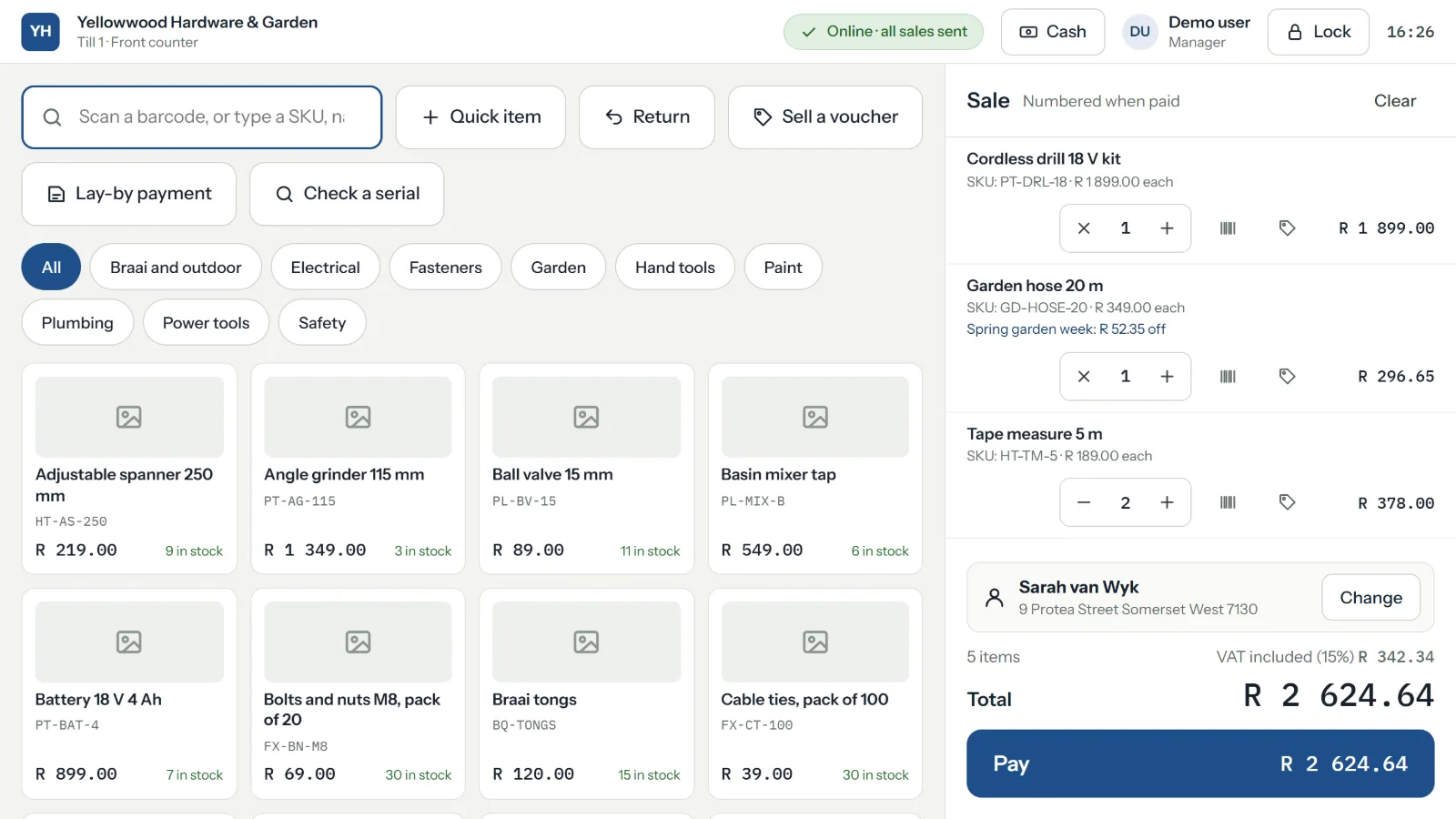
The till mid-sale: five items for a customer on the books, a promotion taken off one of them, and the total with VAT shown.
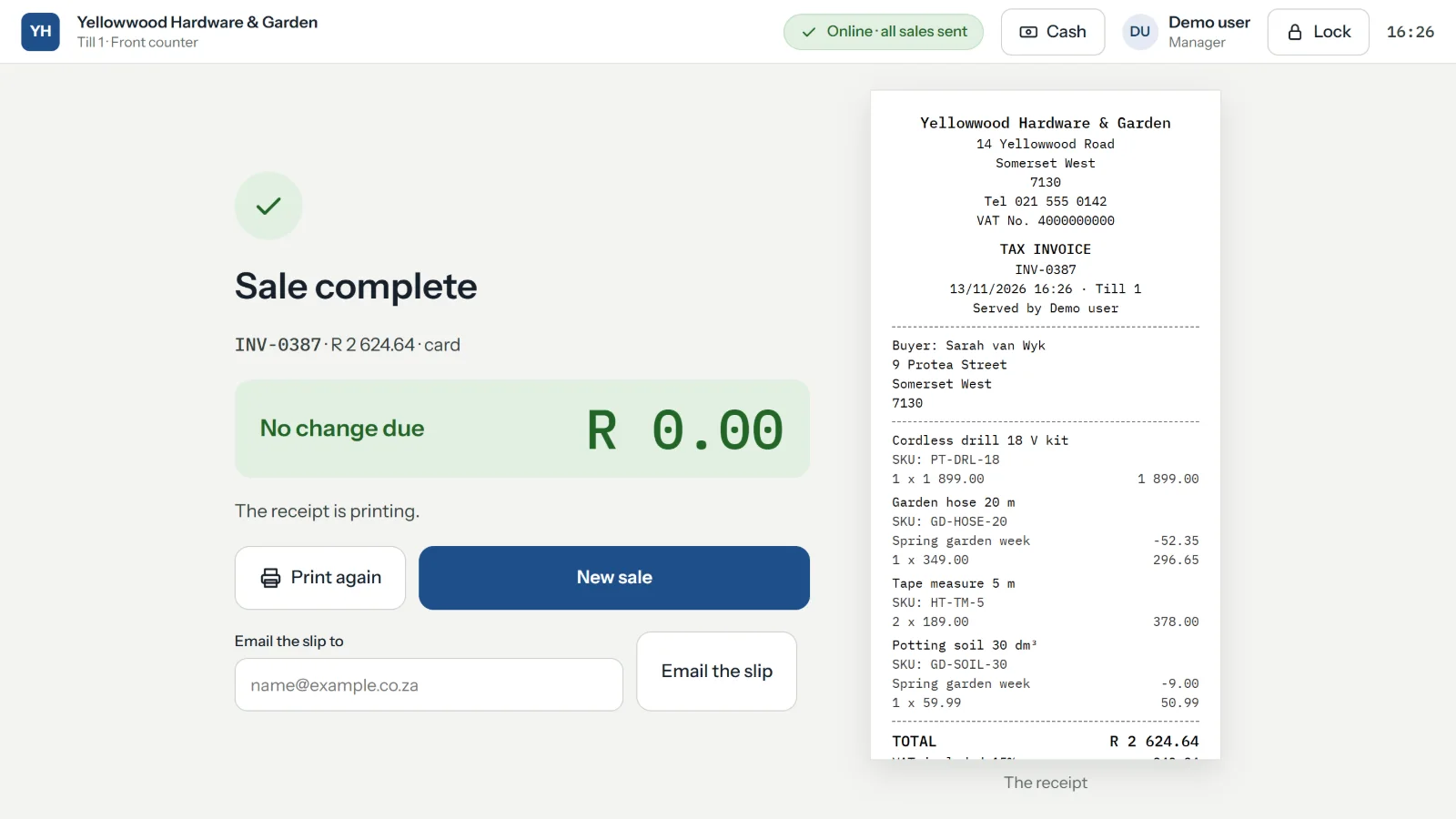
The till after a sale: Sale complete, with the tax invoice number, what was paid, and buttons to print or email the slip.

Quotes, invoices and credit notes

Paperwork that is right the first time

Quotes, proformas, tax invoices and credit notes, from the office or from your phone, with your logo and your colour on them.

  • A quote becomes an invoice in one step, with nothing typed twice.
  • Tax invoices that carry what the law asks: your VAT number, the buyer's details, VAT on each line. A business that is not registered never shows VAT at all.
  • One series, no gaps. The till and the office take their numbers from the same series, in order.
  • Mistakes put right properly: a credit note, or a corrected tax invoice in place of one with the wrong details. Nothing issued is ever quietly changed.
  • Six layouts to choose from, and each invoice keeps the look it was issued with.
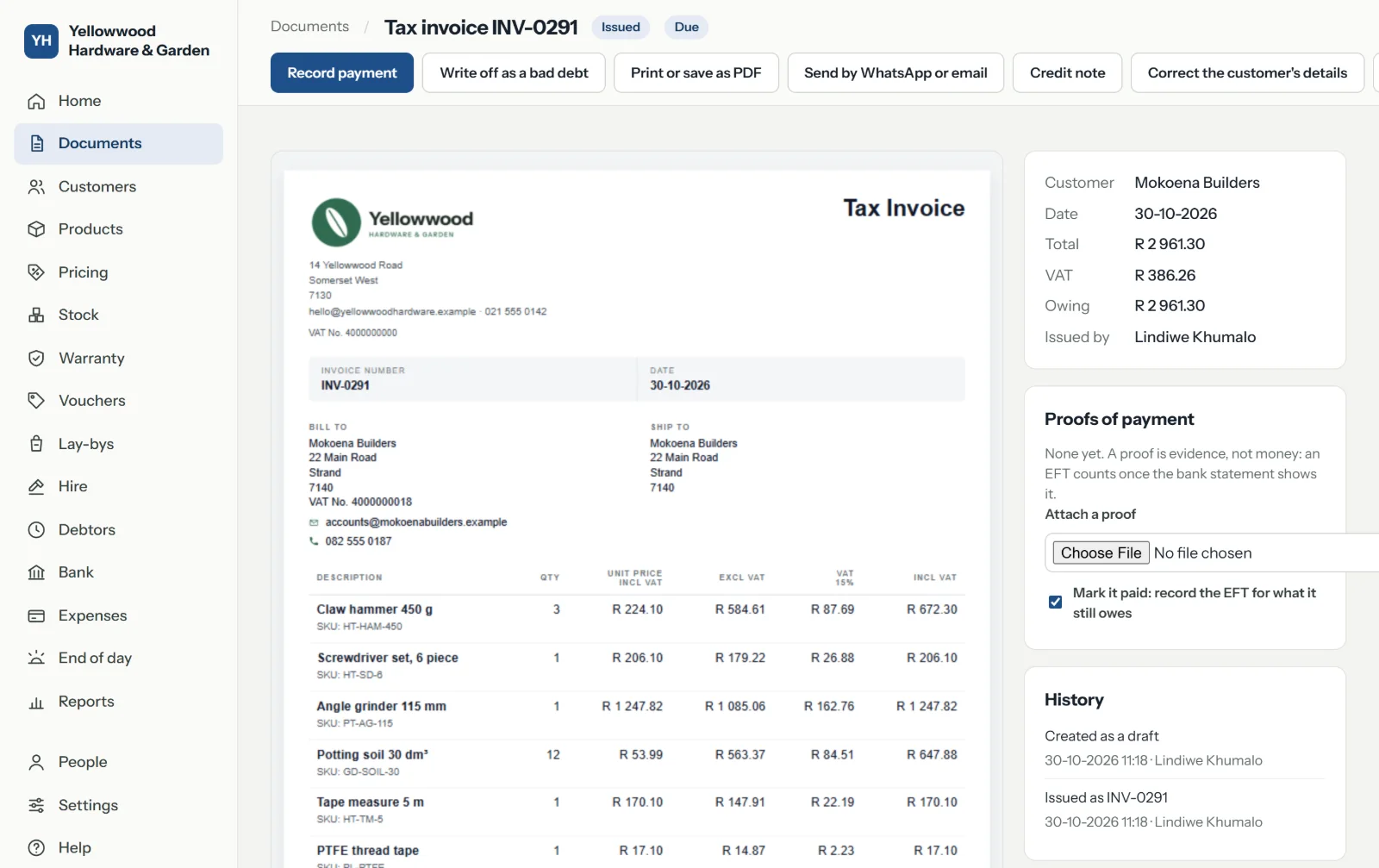
A tax invoice to a builder, with the shop's logo, both parties' VAT numbers, each line with its VAT, and beside it the payment that settled it.

Sending

On your customer's phone in seconds

Press Send, and a message is written for you with the PDF attached, for WhatsApp or for email.

  • By WhatsApp or by email, greeting the customer by name. Email goes out in your business's name, and their reply comes to you.
  • A link they open with no sign-in, to read, download or print the document.
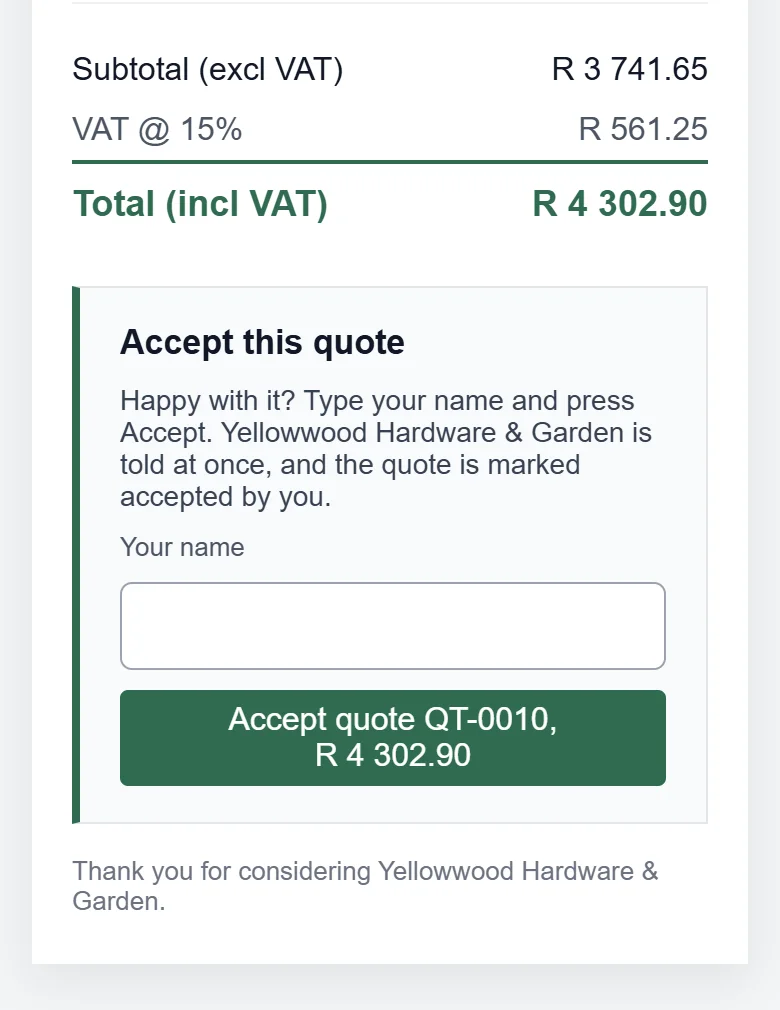
  • A quote accepted from the link, with their name. You see it on Home, and it prints on the quote.
  • You see how often it was opened, and can switch a link off.
  • A QR code on the printed copy opens the same document online.
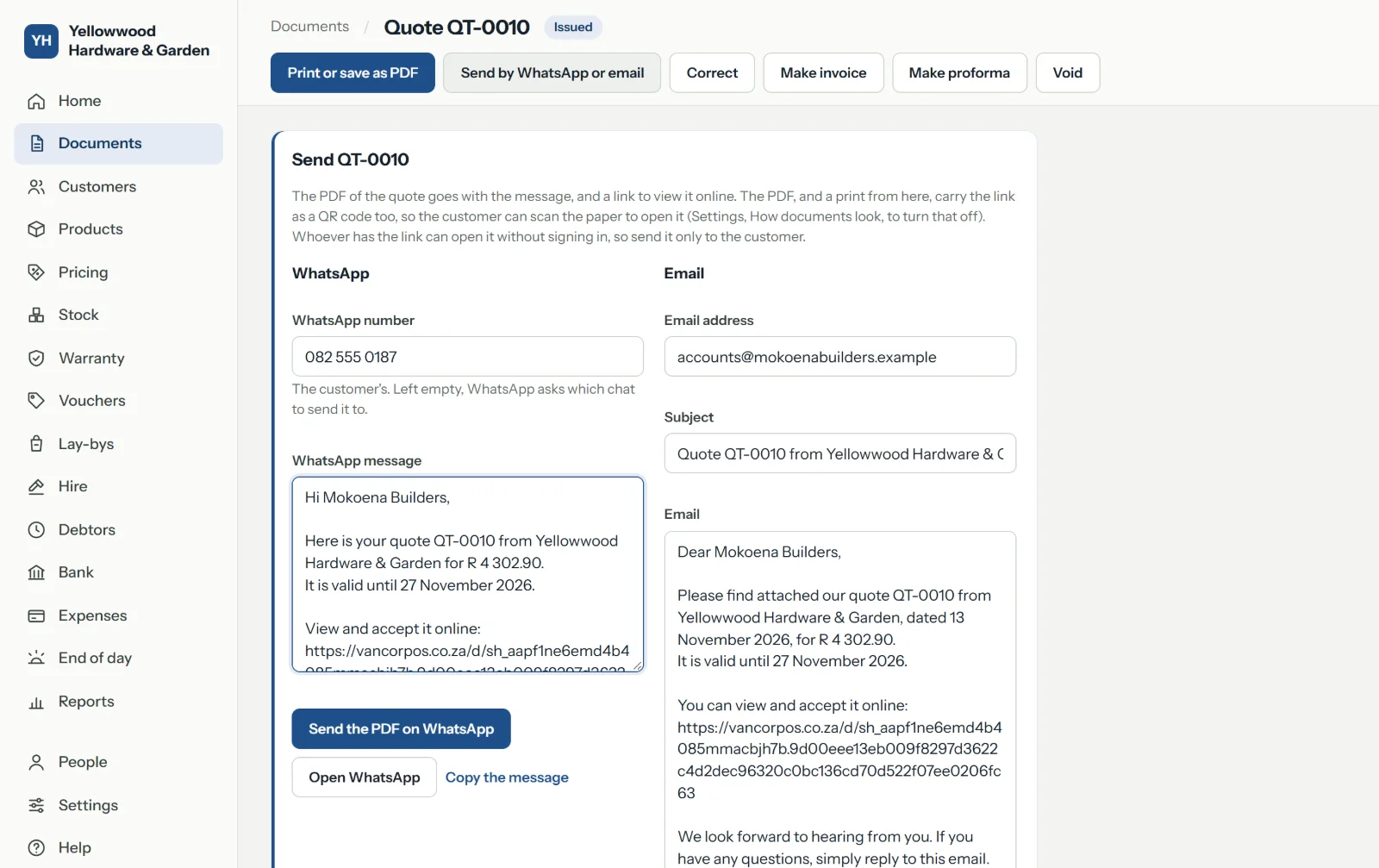
Sending a quote: a WhatsApp message and an email already written, the customer's number and address filled in, and the PDF ready.
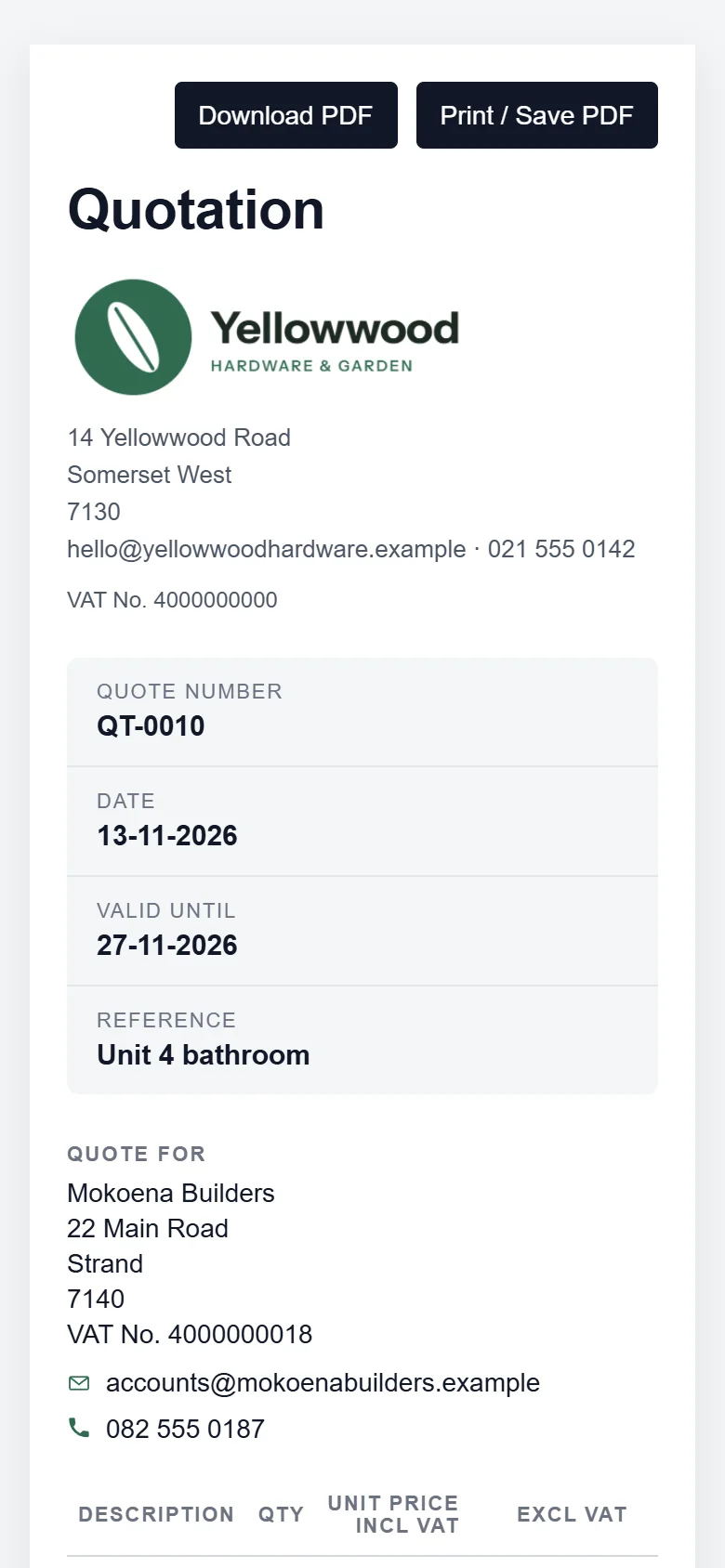
The quote as the customer sees it on a phone, with buttons to download or print it.
The foot of the same quote on the phone: its total, and a box for the customer's name with a button to accept it.

Customers and debtors

Know who owes you, and remind them

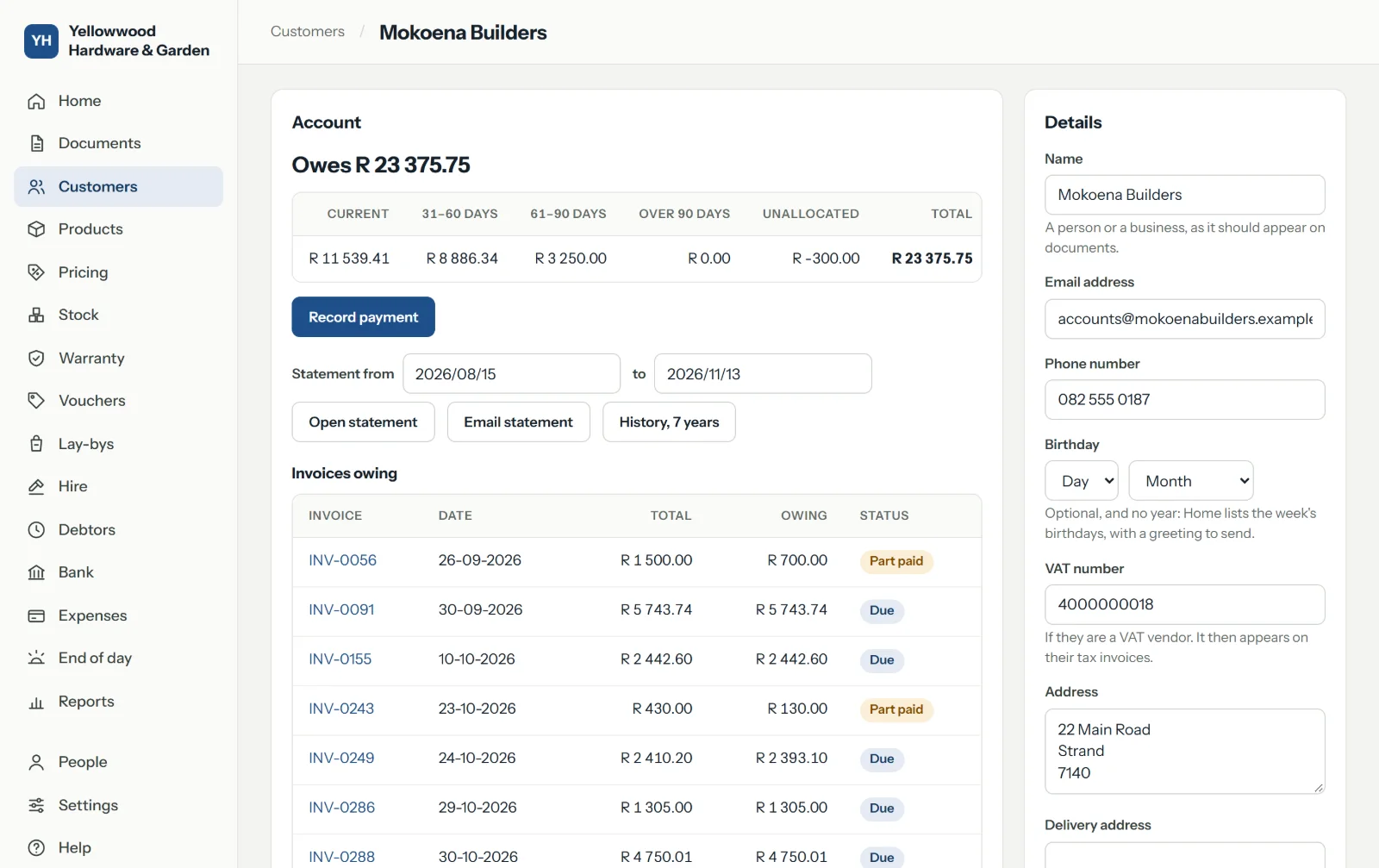
Each customer has an account: what they bought, what they paid and what is still owing.

  • Selling on account, with a credit limit for each customer if you want one.
  • Statements for any dates, printed, saved as a PDF or emailed.
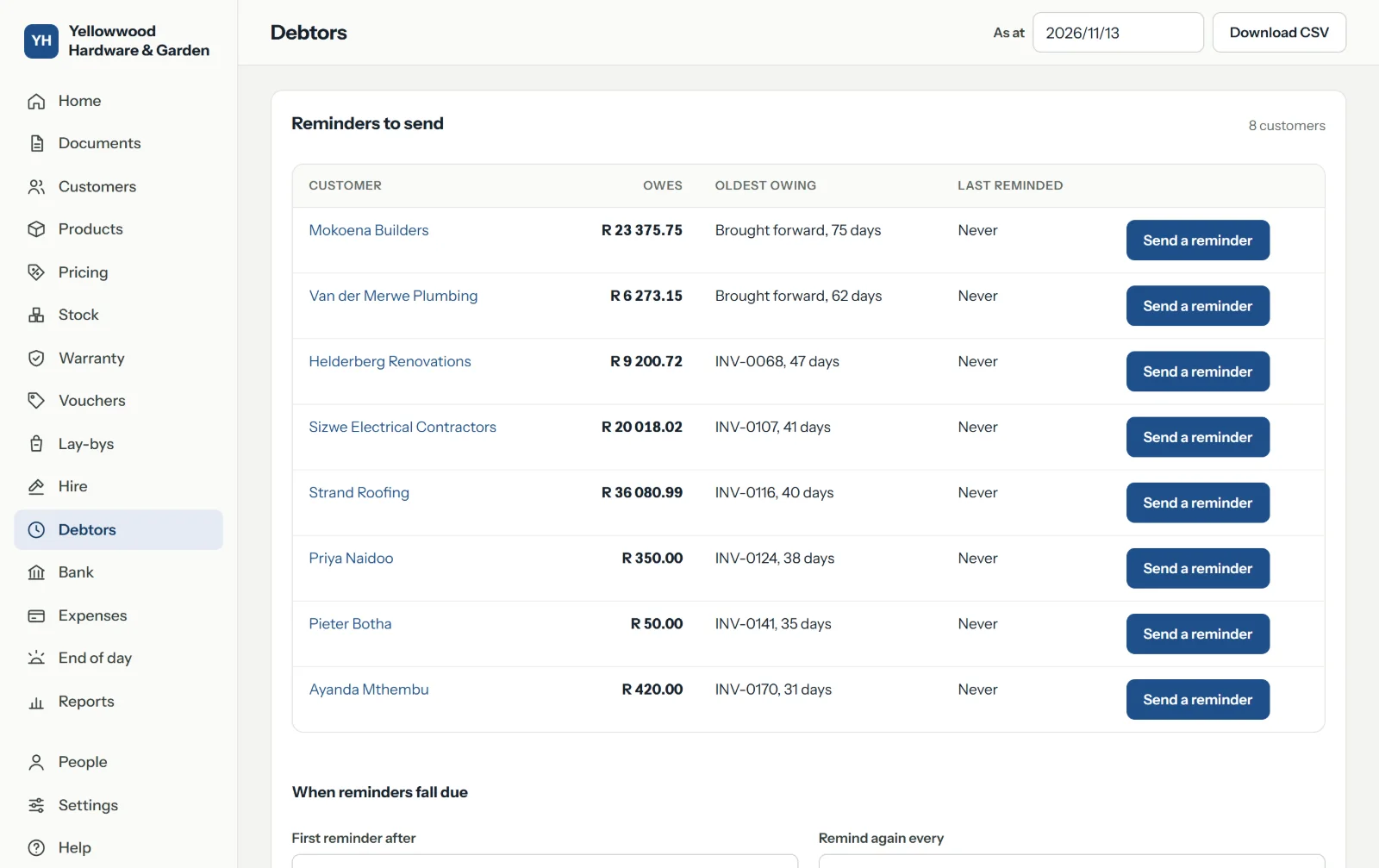
  • Debtors by age, as at any date: current, 30, 60 and 90 days.
  • Reminders written for you and sent by WhatsApp or email, each one recorded.
  • Payments against the invoices they settle, with the proof of payment kept beside them.
Debtors: each customer who owes, with what is current and what is 30, 60 and 90 days old, and their credit limit.
One customer's page: their details, their price list and credit limit, what they owe, and their invoices and payments.

Stock

What is on the shelf, and what to order

Stock goes down with every sale and up with every delivery, so the number on the screen is the number on the shelf.

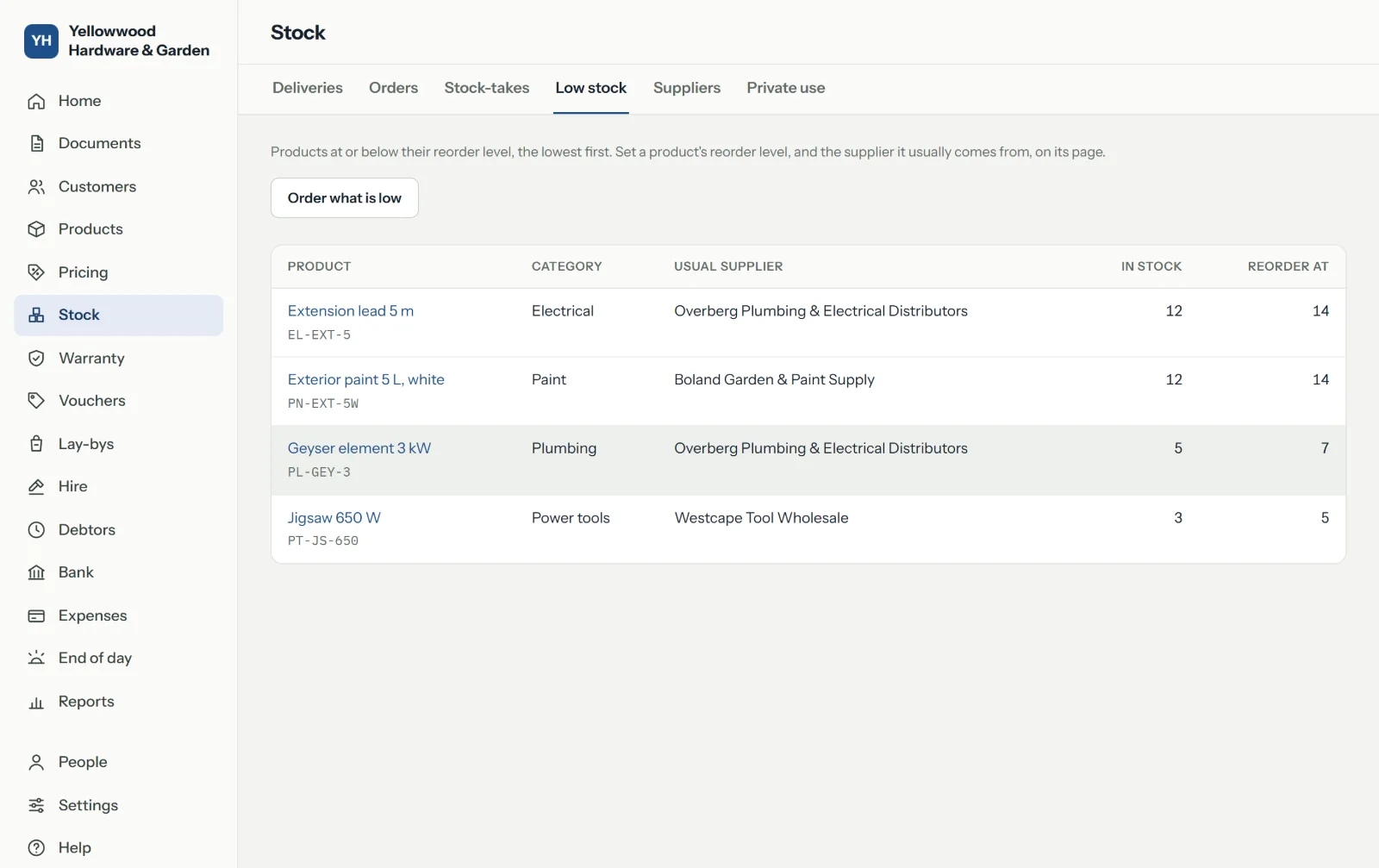
  • Low stock at a glance, against the level you set for each product.
  • Orders to suppliers, made from what is low, printed, and ticked off when the delivery comes.
  • Deliveries with their cost and the VAT you can claim.
  • Stock-takes that show what is over and what is short.
  • Shelf and barcode labels on a sheet or a roll.
Low stock: the products below their reorder level, how many are left, and the supplier each comes from.

Money and the bank

What came in, what went out, what is owed

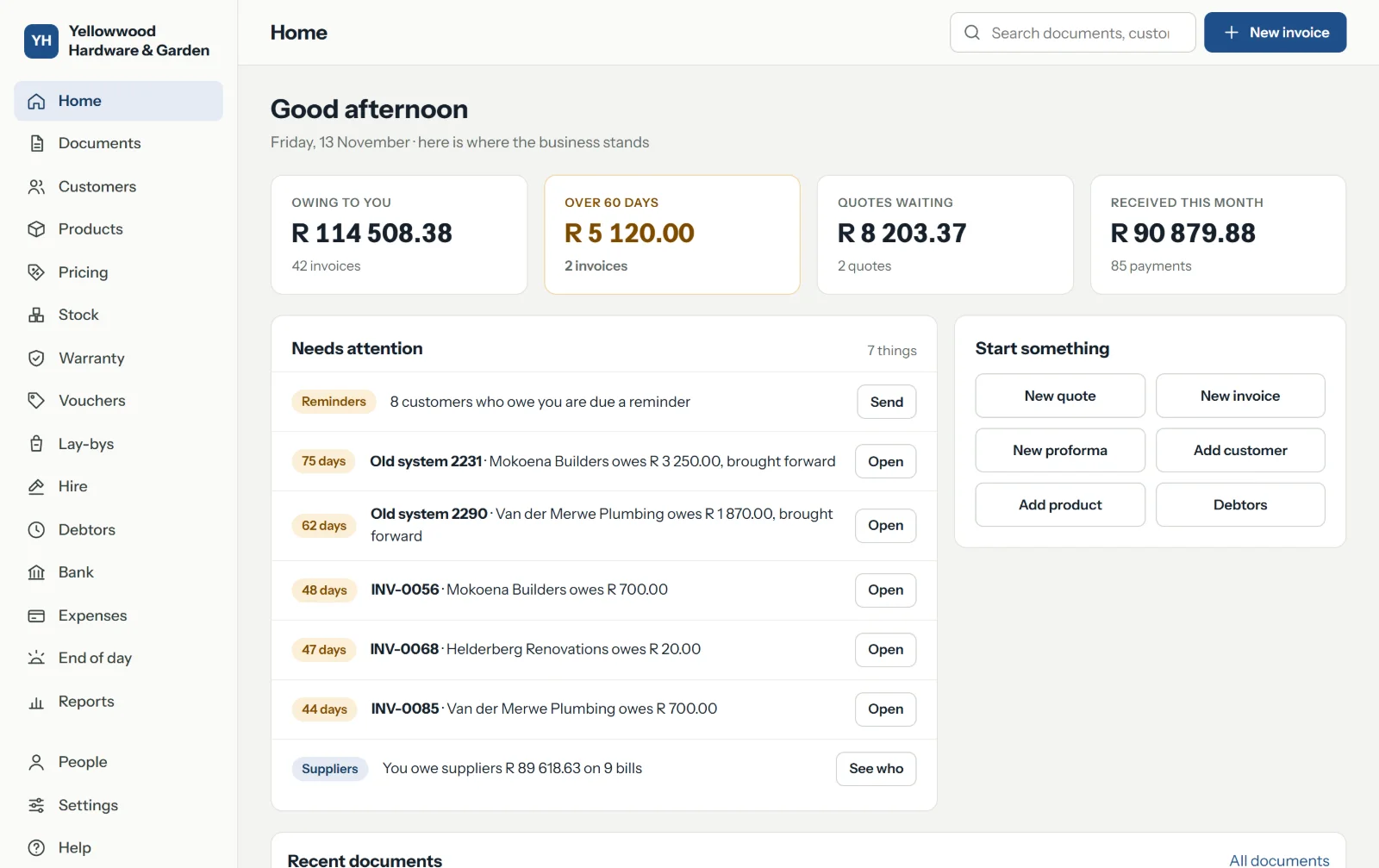
Home opens on where the business stands this morning, and what needs your attention.

  • Your bank statement, read for you. Import it from FNB, Standard Bank, Absa, Nedbank or Capitec, and tick off the EFTs that have really arrived.
  • Expenses by category, with the VAT you can claim on each.
  • What you owe suppliers, by age, and the payments you make to them.
  • Refunds and bad debts recorded for what they are, never hidden in a discount.
Home: what is owing to the business, what is over 60 days, quotes waiting and money received this month, then a list of what needs attention.

End of day, reports and VAT

Close the day knowing the figures are right

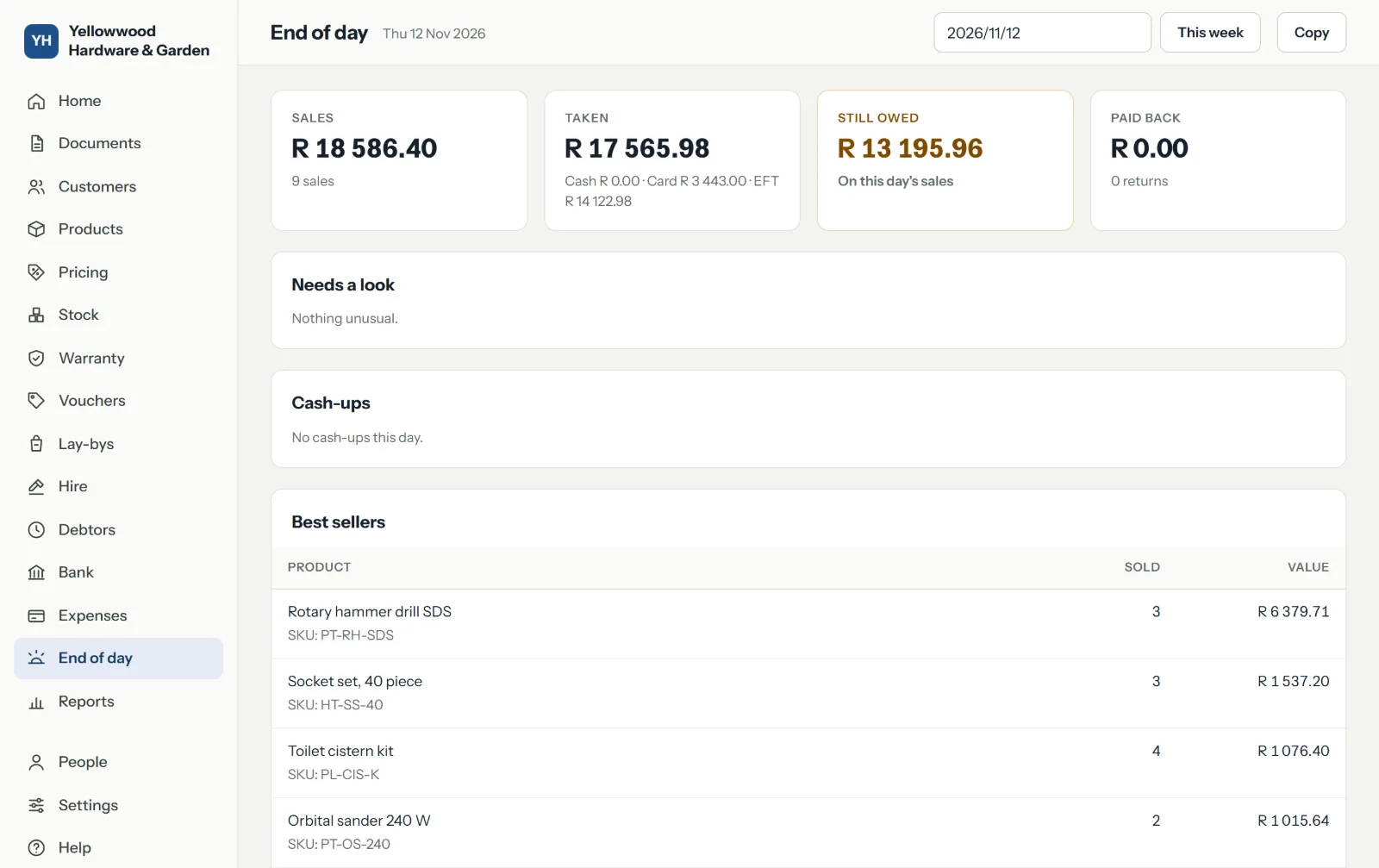
One page for the day: what was sold, what was taken and how, the cash-ups, the best sellers, and anything that needs a look.

  • The day's summary to your phone, ready to send to yourself on WhatsApp, and the week on one page.
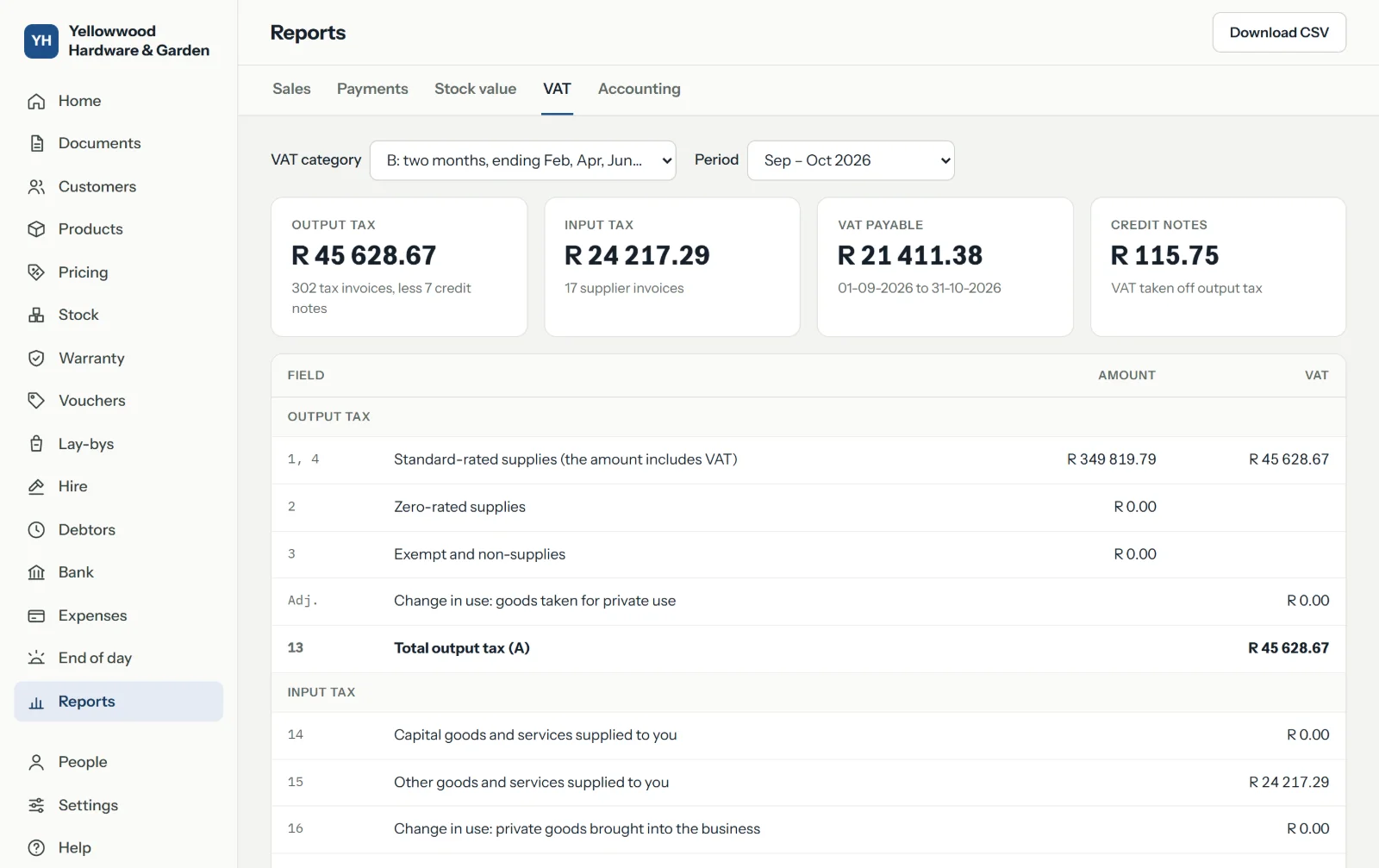
  • The VAT report, with the figures for the fields of your VAT return and every invoice behind them.
  • Sales, payments and stock value, each downloaded as a spreadsheet.
  • Files for your accountant's program: Xero, QuickBooks, Sage or Pastel.
  • A sign-in of their own for your accountant, for the books and the reports, and nothing else.
End of day: the day's sales, what was taken in cash, by card and by EFT, what needs a look, the cash-ups and the best sellers.
The VAT report for a period: output VAT, input VAT, what is payable, and the tax invoices that make it up.

People and safety

Owner, manager, cashier and accountant each see what their work needs. An owner signs in with a code from their phone as well as a password. Every change is recorded with who made it and when. A copy of your records is made every night and kept apart, and you can download all of them whenever you like.

Moving over from another system

Bring your products, customers, suppliers and what customers still owe you from a spreadsheet. You see every line before anything is saved. Your invoice numbers carry on from where your old system stopped.

On the device you already have

The office works in any browser, on a computer or a phone. The till runs on a computer or tablet and can be added to its home screen like an app. Your menu, its photos and prices show on any TV with a browser, in six layouts you set to your own look, and change as your prices do. There is nothing to install and nothing to update.

Add-ons

Twenty-one add-ons, for the way you trade

Switch on only the ones your business uses. Switching one off later deletes nothing.

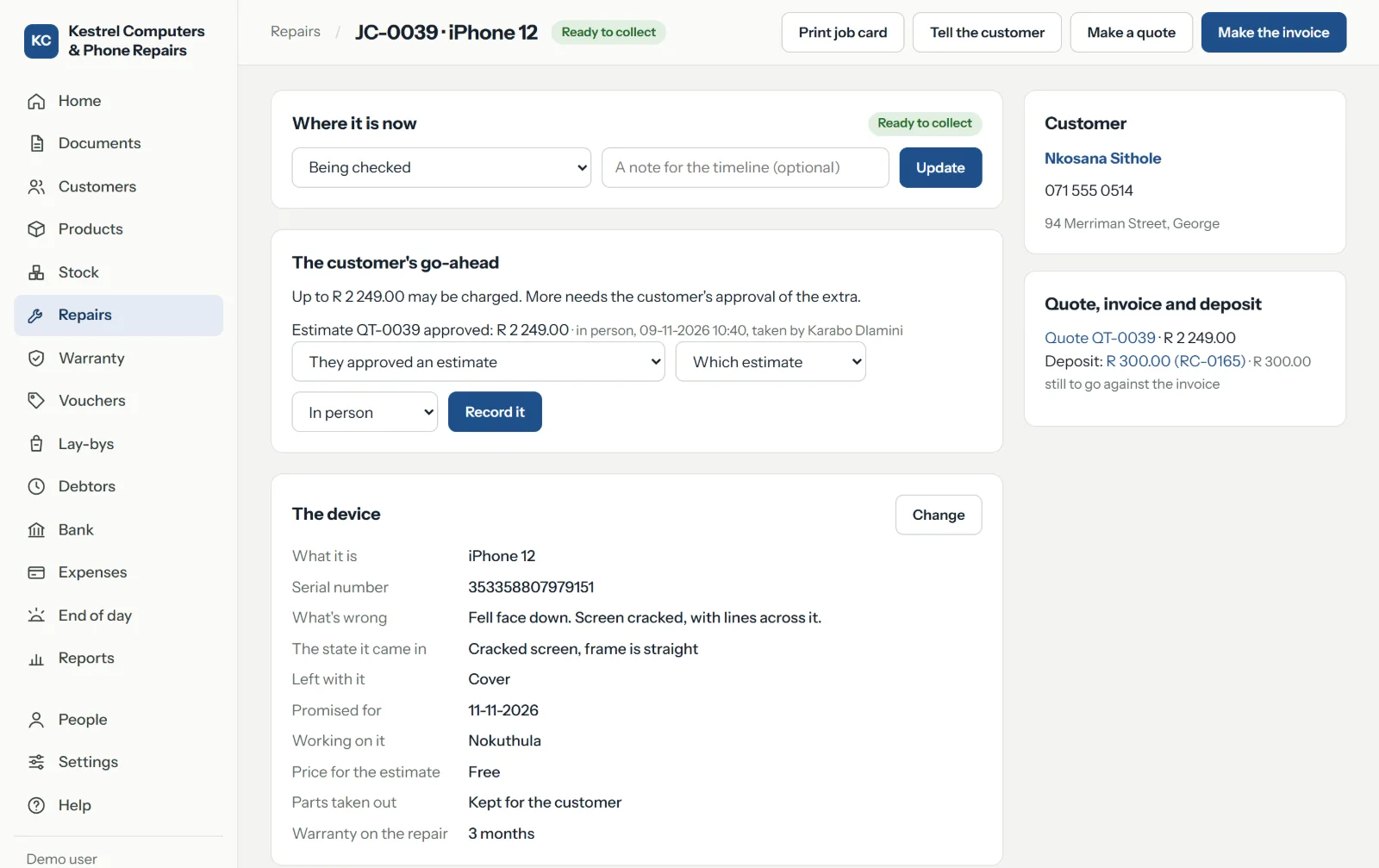
A repair job card for a phone: where it is now, the customer's go-ahead on the quote, the device and its fault, and its deposit.

Device repairs

A job card with the customer's go-ahead on record before any work is charged.

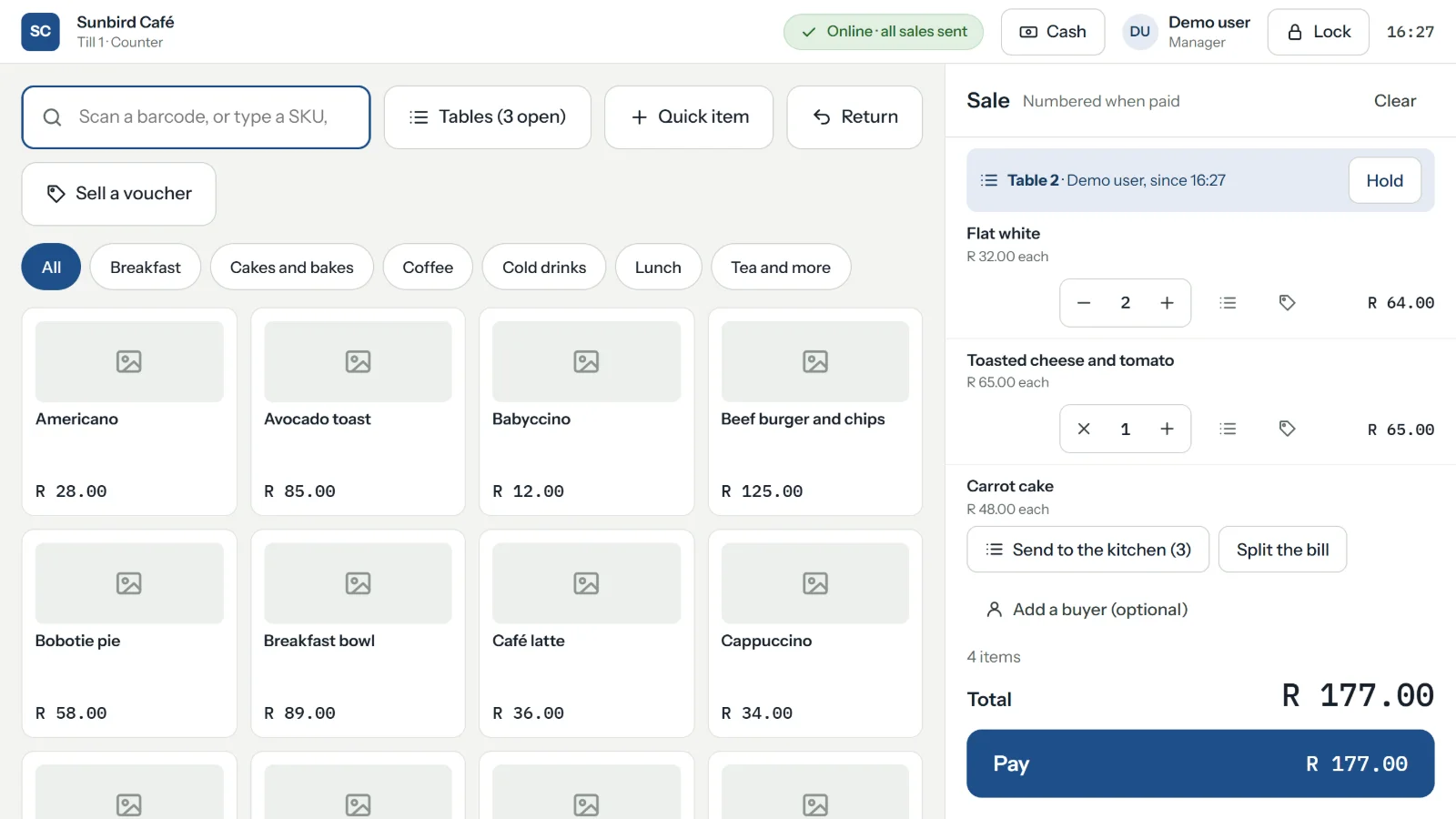
A café table's tab at the till: what the table has ordered so far, to add to, split or pay.

Restaurants, cafés and bars

A table's tab, kept open until they ask for the bill.

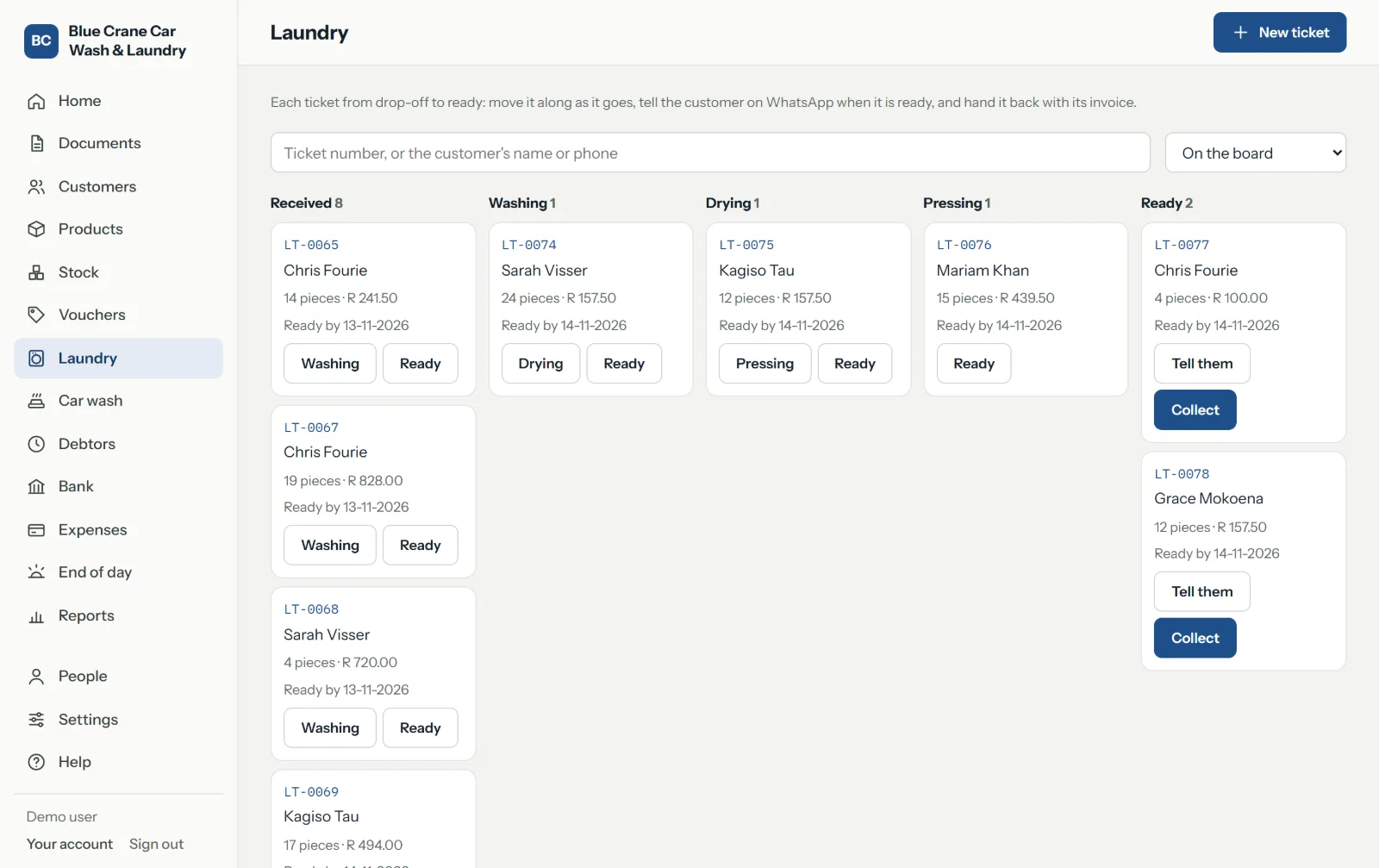
A laundry's board: tickets in columns from received through washing, drying and pressing to ready.

Laundry and dry cleaning

Every ticket on a board, from dropped off to ready.

At the counter

Sizes and colours

One product in versions, each with its own barcode, price and stock, chosen from one tile.

Pack sizes

A single, a six-pack and a case sold off one stock item, each with its own barcode and price.

Weighed and measured goods

Sold by the kilogram, litre or metre: weighed at the till, or read from a scale's barcode label.

Price lists and promotions

Trade prices for the customers you choose, specials between two dates, taken off by themselves, and price rises set to start on a day.

Barcode tools

Any phone's camera as a barcode scanner, for products, deliveries and stock-takes, and a price check on the shop floor.

Vouchers

Gift vouchers sold and spent at the till, and store credit on a return in place of money.

Loyalty points

Points earned on every invoice to a customer on the books, and spent like money.

Lay-by

Goods held while a customer pays them off, by the rules of the Consumer Protection Act.

Workshops and services

Device repairs

Job cards for computers, phones and appliances: booked in, quoted, approved, mended, and collected at the till.

Vehicle workshop

Job cards for vehicles, found by registration with their history, mileage, labour and parts.

Warranty

Serial numbers on what you sell, a warranty on each, and claims on your suppliers.

Parts by model

Every part that fits a laptop or phone model, found at the till and in the office.

Hire

Tools, plant and things for events hired out by the day or week, with deposits, late days and damage.

Service contracts

Support or maintenance plans whose invoices raise themselves every month, quarter or year.

Bookings

Appointments in a diary, with a deposit, and the invoice made when the work is done.

Staff commission

A percentage of what each person sells or does, worked out for payday.

Food and drink

Restaurants, cafés and bars

Tables and open tabs, orders to the kitchen, bills split by item or evenly, and tips kept apart.

Recipes

A cappuccino takes its milk and beans off stock when it sells, and costs what its ingredients do.

Washing

Car wash

Cars found by registration, a queue on screen from the gate to collection, and every tenth wash free.

Laundry and dry cleaning

A numbered ticket priced by the kilogram and by the item, and a board from washing to ready.

Growing

Branches

More than one shop, each with its own tills and stock, and stock moved between them.

Integrations

Your Shopify or WooCommerce shop's products, pictures and stock kept in step.

See it working, not just described.

Open one of seven made-up businesses and use it as your own. Or tell us about yours, and we will show you how it would run.

Try the demo Talk to us